GEP is introducing a new Drive capability to help users manage their working files, access processing results, and organise analysis material directly within the Geohazards Exploitation Platform.
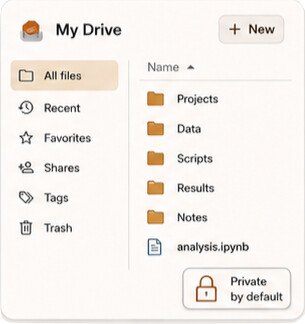
The GEP Drive provides each user with a personal storage space for the files that support their Earth Observation work. Users can keep datasets, notes, scripts, intermediate products, service outputs, and other working material in one place, close to the tools and services they use on the platform.
By default, files in the Drive are private. Users decide when selected files or folders should be shared with collaborators, for example through controlled sharing or shareable links.
A private workspace for analysis material
The Drive is intended to support the practical day-to-day work of GEP users. It gives users a familiar space to organise the material they need before, during, and after an analysis activity.
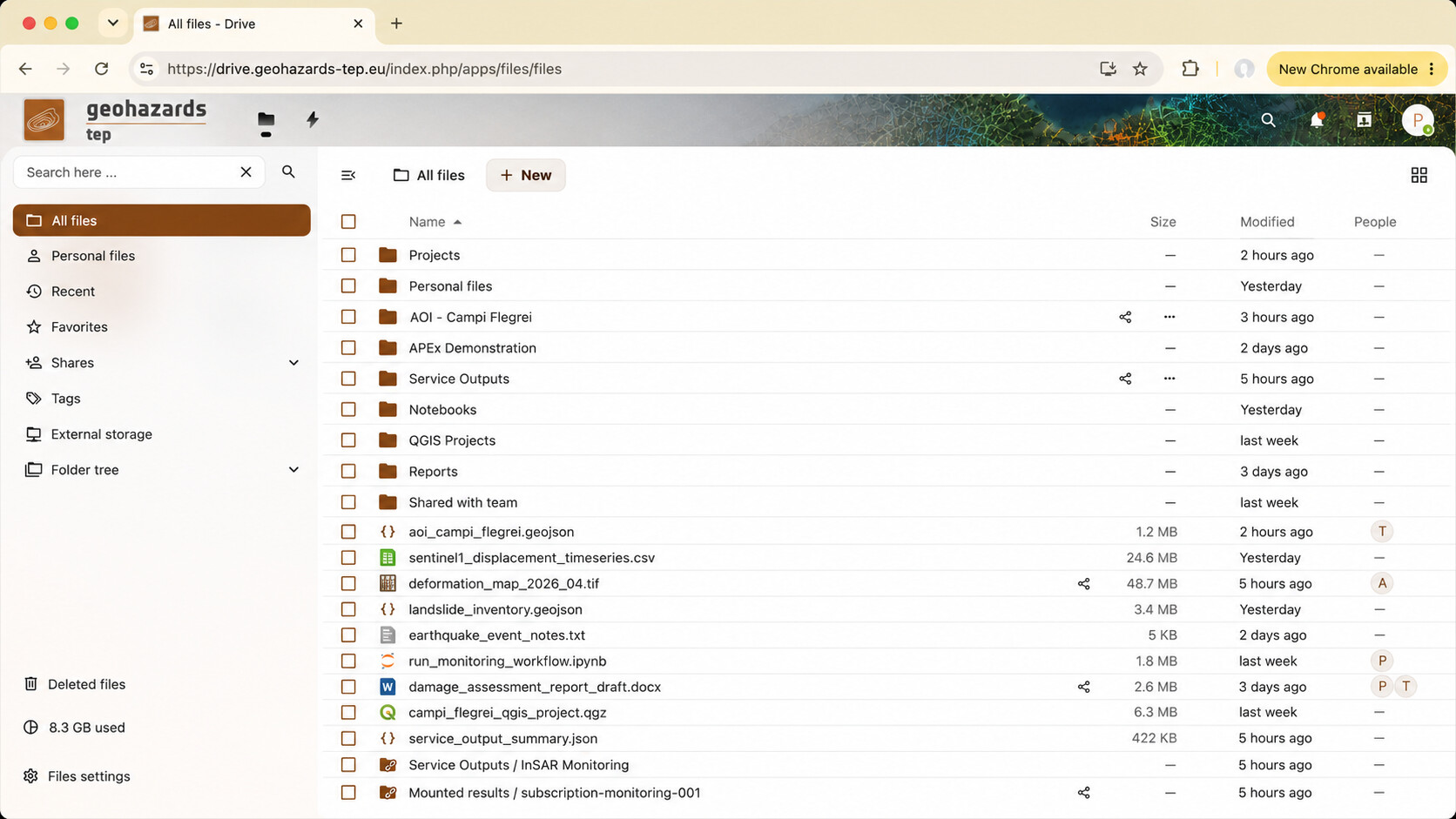
Typical content may include:
- small to medium-size datasets, such as CSV, JSON, GeoTIFF, NetCDF, TXT, or ZIP files;
- outputs from user analyses;
- intermediate results generated during investigation or validation;
- supporting material for notebooks, interactive applications, and processing workflows;
- notes, scripts, configuration files, and documentation;
- files that users want to share with collaborators.
The Drive is not meant to replace large EO catalogues or long-term operational archives. Instead, it acts as a working storage space where users can keep the files that are directly relevant to their current analysis, project, service subscription, or collaboration activity.
Accessing processing results from the Drive
A key innovation is the connection between the Drive and the outputs generated by GEP processing services.
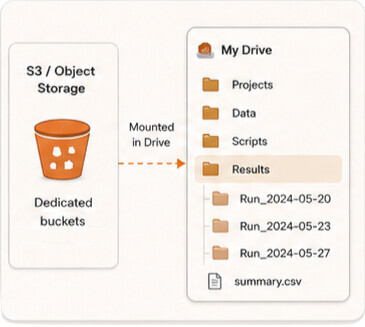
When users run processing services through their subscriptions, the resulting products can be stored in dedicated object storage areas associated with those services. These storage areas can then be mounted and made accessible from the Drive.
This means that users can inspect processing results from the same environment where they manage their own files. For example, a user may run a service, open the output folder from the Drive, review the generated files, and then use them in QGIS, notebooks, or other cloud-hosted analysis tools.
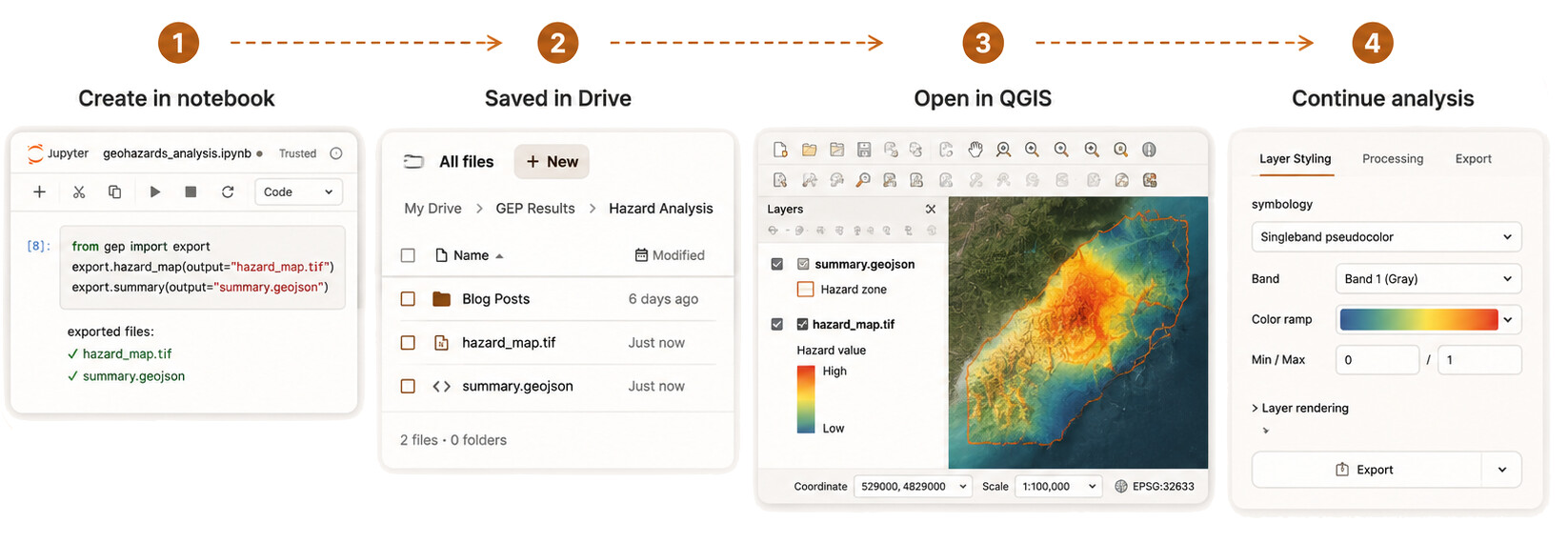
This approach reduces the need to manually download, move, rename, or re-upload products between disconnected systems.
From service execution to analysis
The Drive helps connect several parts of the GEP user experience:
- A user organises input files, notes, and working material in a private storage area.
- Processing services generate outputs in dedicated storage linked to the user’s service subscription.
- These service outputs become accessible through the Drive.
- The user can inspect, download, share, or open the products in analysis environments.
- Selected files or folders can be shared with collaborators when needed.
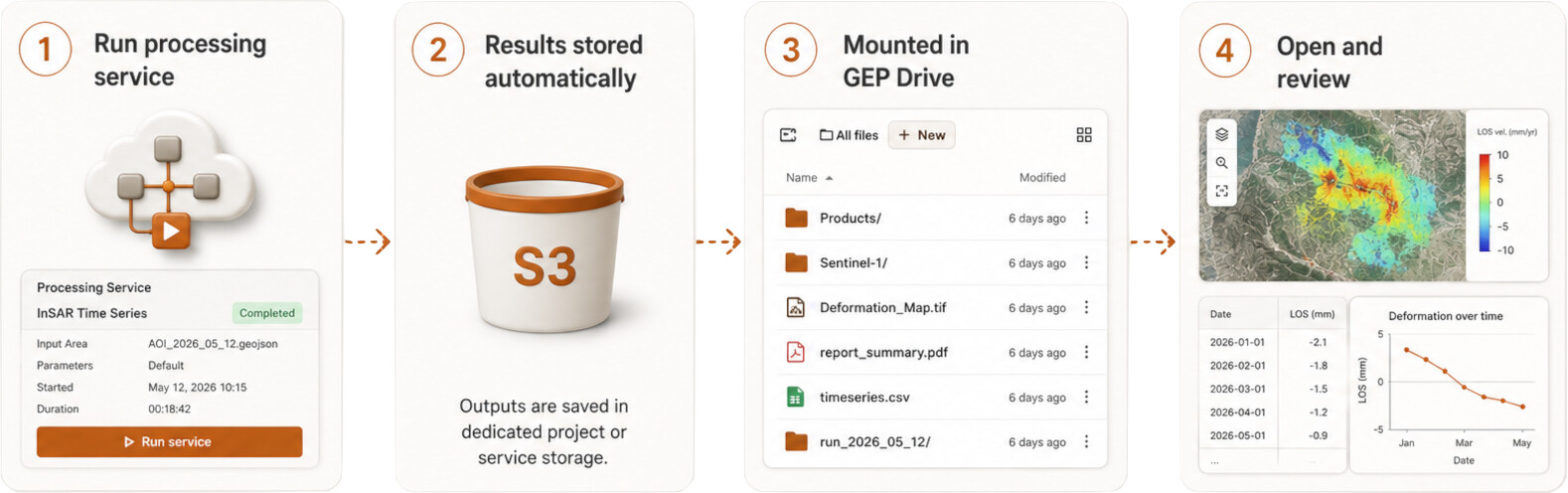
This creates a more continuous workflow between service execution, result inspection, analysis, and collaboration.
Working with Drive and GitLab
The Drive is part of a broader GEP workspace model. It complements the GEP GitLab environment, which supports version-controlled work.
The two capabilities have different but connected roles:
GEP Drive is for files and products. It is the place to organise datasets, outputs, intermediate files, supporting material, and shared folders.
GEP GitLab is for code and collaboration. It is the place to manage scripts, notebooks, workflow definitions, application packages, documentation, issues, and version-controlled development.
Together, they help users keep analysis material, processing outputs, code, and collaboration activities organised within the GEP ecosystem.
For example, a user may keep a notebook or workflow definition in GitLab, use files from the Drive as inputs, run a processing service, and then inspect the generated outputs from a Drive-mounted results area.
Supporting collaboration
Although the Drive is private by default, users can choose to share selected material with collaborators. This can support joint analysis, product review, training activities, or project work.
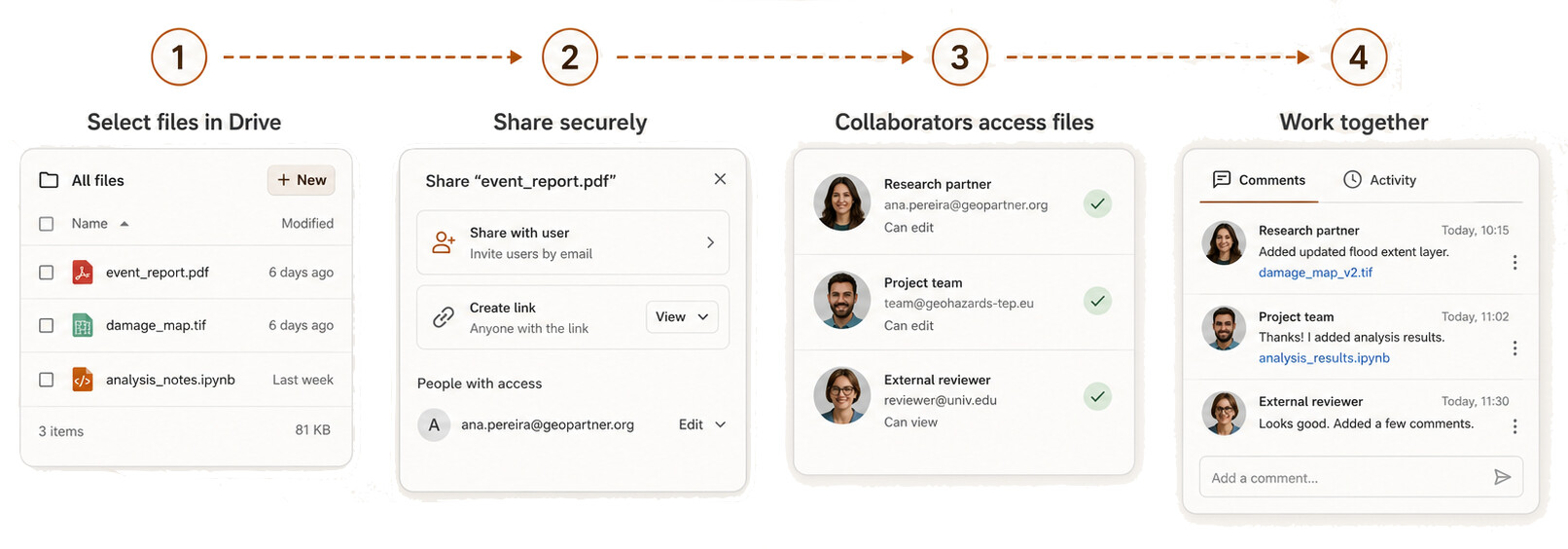
Users may share supporting files, intermediate products, selected outputs, or documentation without exposing their full personal workspace. This makes the Drive useful both for individual work and for controlled collaboration.
The GitLab environment can then support the more structured side of collaboration, including version control, issue tracking, code review, workflow development, and documentation.
Why this matters
Earth Observation workflows often involve many different assets: input datasets, service outputs, scripts, notebooks, maps, logs, configuration files, and final products. Without an integrated workspace, users may need to move files manually between storage systems, processing services, desktop tools, and collaboration platforms.
The GEP Drive reduces this friction by providing a common access point for personal files and service-generated outputs. It helps users move more easily from processing to inspection, analysis, sharing, and reuse.
This is particularly important for geohazard applications, where users may need to organise information around events, areas of interest, service subscriptions, or collaborative projects.
A step toward more integrated GEP workspaces
The Drive is part of GEP’s continued evolution toward integrated, cloud-based workspaces for geohazard analysis and Earth Observation processing.
By connecting personal storage, service result access, object storage, analysis tools, and collaboration environments, GEP is making it easier for expert users to manage the full lifecycle of their work: from data preparation and service execution to product review, documentation, and sharing.
As this capability evolves, the Drive will support increasingly seamless interaction between GEP services, cloud-hosted analysis environments, GitLab repositories, and collaborative project workflows.
GEP Drive is being introduced as a new platform capability to support user storage, processing-result access, and collaborative analysis workflows. It provides a private user file workspace integrated with GEP service storage, cloud-hosted analysis tools, and the GEP GitLab environment.