GEP is not limited to running processing services and downloading the resulting products. Depending on your activity, you may also need an interactive environment where you can explore data, develop code, inspect processing results, work with notebooks or GIS tools, or use specialised scientific software.
These working environments can be made available through the GEP Application Hub and adapted to the needs of a user, project, subscription or supported activity. The idea is simple: if your work requires an environment in which you can interact directly with data and software, tell us what you need to do and the GEP team can help identify the most appropriate setup.
What is a GEP working environment?
A working environment is an interactive computational space made available to you as part of your GEP activity. Instead of preparing the complete software stack on your own computer, the environment runs close to the data, processing services and storage available through GEP.
Depending on the activity, this could be a Jupyter environment for notebooks and Python analysis, a QGIS desktop for interactive geospatial work, a development environment such as VS Code, or another scientific or technical application required for a particular workflow.
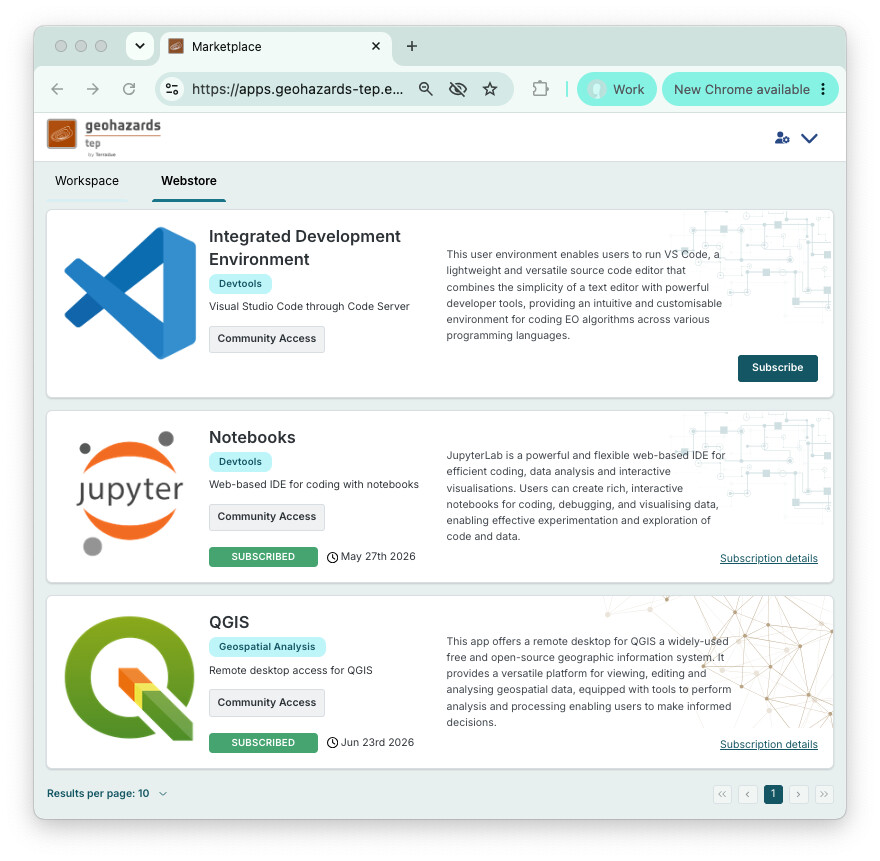
The environment can be used for activities such as exploring Earth Observation data, analysing the outputs of GEP processing services, developing and validating algorithms, preparing notebooks, working with geospatial projects, testing workflows or combining processing results with other scientific information.
Tell us what you want to do
You do not need to know the complete technical configuration before requesting an environment. In many cases, it is more useful to start by explaining what you want to achieve.
For example, you may want to:
- analyse processing results interactively in QGIS;
- develop or run a Jupyter notebook;
- test Python code against EO datasets;
- inspect products generated by a GEP processing service;
- work with a scientific desktop application;
- develop or validate an EO processing workflow;
- prepare a demonstration or training environment;
- work collaboratively with other users on the same activity.
From that description, the GEP team can help determine whether an existing environment already fits the activity or whether something more specific needs to be prepared.
Working with your GEP data
A GEP working environment is intended to be part of the same working context as the rest of the platform rather than an isolated virtual machine.
Your GEP Drive can provide access to personal and collaborative files such as notebooks, scripts, reports, QGIS projects and supporting material. If your activity includes authorised subscription storage, processing outputs can be made available directly from the environment, and available shared EO datasets can be exposed as common input data.
This means that a processing service result can be inspected in a notebook, opened in QGIS, combined with other information or used as input to another analysis without requiring a completely separate workflow for moving files between tools.
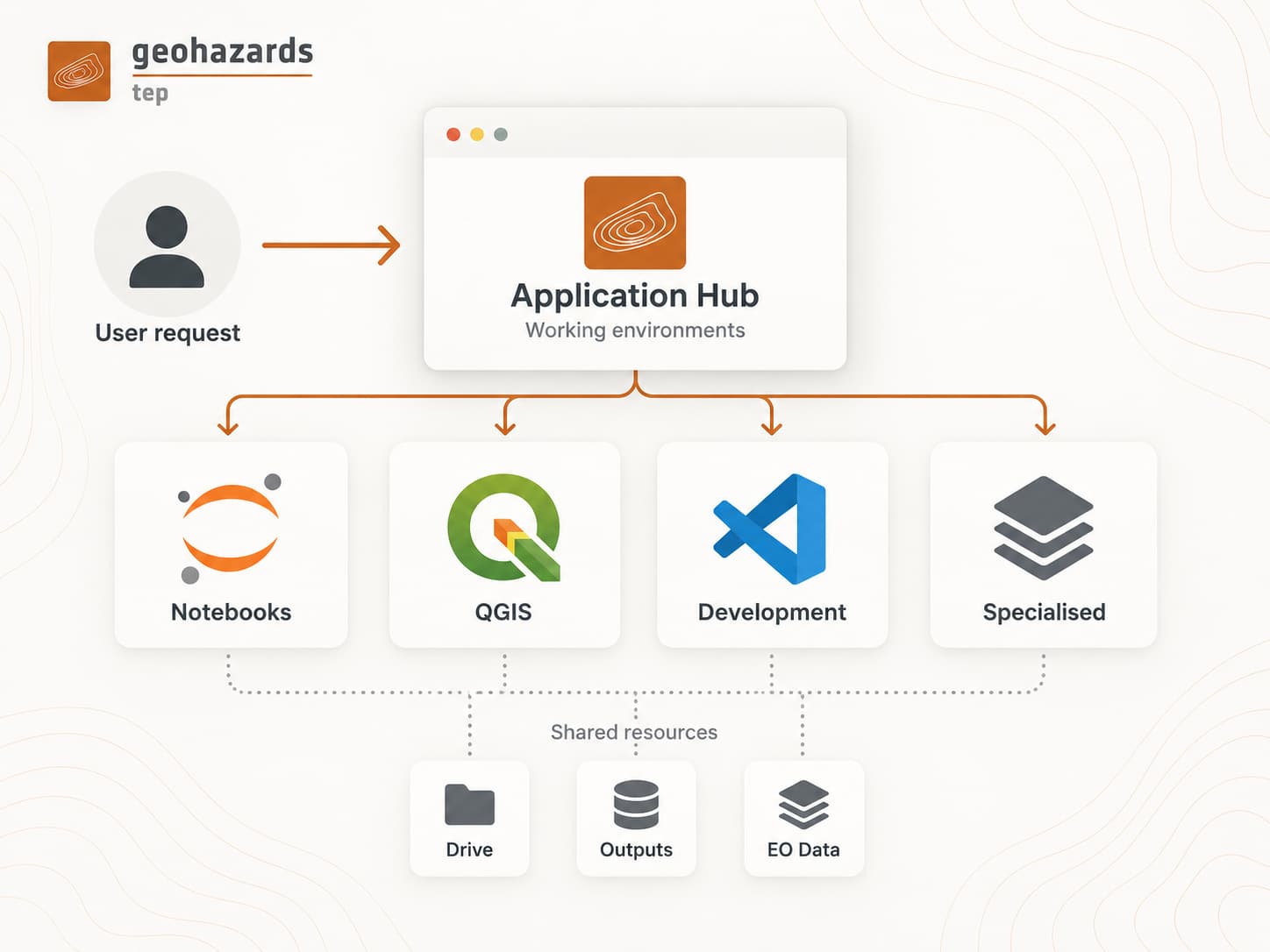
The exact data and storage available in an environment depend on the access rights associated with your account, subscription or supported activity.
What if I need something more specialised?
Sometimes an existing environment is not enough. A scientific activity may require a specialised environment including, for example:
- additional Python, R or system libraries;
- a specific scientific or geospatial software package;
- another interactive desktop application;
- increased CPU or memory resources;
- GPU resources where required by the application;
- a particular runtime or software version;
- project-specific software and configuration;
- access to additional storage or external services where this is technically and operationally appropriate.
These requirements can also be discussed with the GEP team. The objective is not to maintain a different platform for every user, but to provide the working environment needed when a scientific or operational activity cannot be supported adequately by the standard environments.
How do I request an environment?
If you need an interactive working environment for your GEP activity, contact the GEP team at:
A short description is enough to start the discussion. Tell us:
- what you want to do;
- which software or type of environment you expect to use, if you already know;
- who will use it;
- whether it is linked to a project, subscription, demonstration or other supported activity;
- any particular data or processing services that need to be accessible.
If you already know that you need a specific software version, additional CPU or memory, GPU resources, a container image or another technical requirement, include that information as well, but it is not necessary to define the complete environment yourself before contacting us.
The GEP team will review the request and help determine the appropriate environment, resources and access model.
From interactive work to reusable processing
Interactive environments are often where a workflow starts. A researcher may first explore data in a notebook, test an algorithm, validate results in QGIS or combine several tools before the processing approach becomes stable.
When a method becomes repeatable, it can also be considered for packaging as a reusable EO processing service, for example through an EO Application Package. This provides a natural path from interactive development and scientific validation towards reproducible and more operational processing on GEP.
The environment remains useful for development, investigation and expert analysis, while repeatable processing can progressively be exposed as a service that other users or workflows can invoke.
Start with the activity
The most important point is that you do not need to start by choosing infrastructure, CPU sizes or a predefined software configuration. Start with the scientific or operational activity you want to carry out.
GEP can then help identify whether an existing notebook, GIS or development environment is sufficient, or whether a more specialised environment should be prepared around your software, data and resource requirements.
For more information about the services currently available on GEP, see:
Availability of working environments and specialised configurations depends on the access model associated with the activity, available infrastructure resources, software licensing conditions and the technical requirements of the requested tools.